

Governor Limits in Salesforce
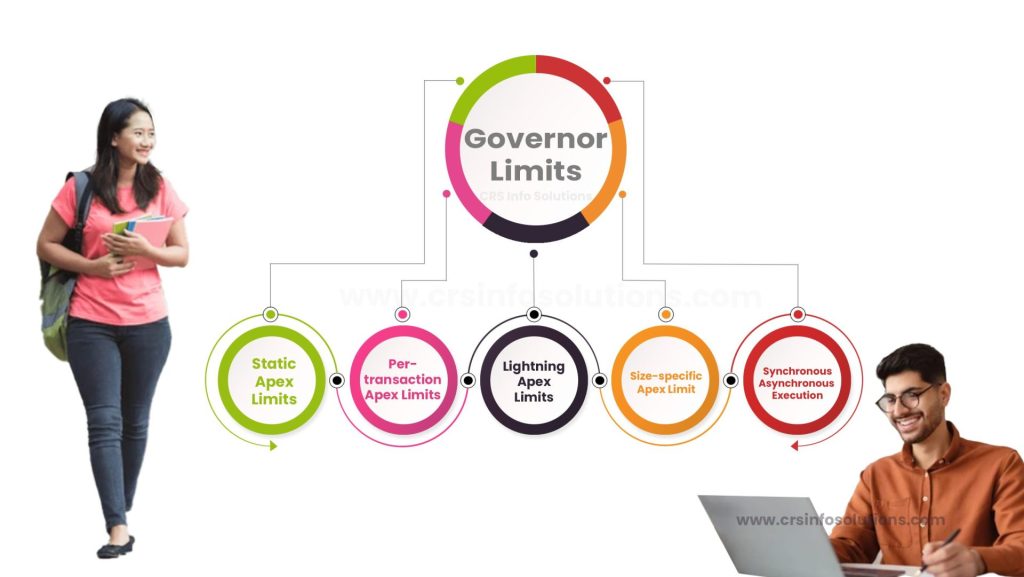
Table of Contents
- Lists of Governor Limits
- Static Apex Limits
- Per-transaction Apex Limits
- Lightning Platform Apex Limits
- Size-specific Apex Limit
- Synchronous and Asynchronous Execution
- Advantages of Governor Limits
- How can you avoid Salesforce Governor Limits?
- What are governor limits in Salesforce?
Governor limits in Salesforce are predefined constraints that regulate the amount of resources consumed during runtime to ensure fair usage and prevent any single process from monopolizing shared resources. As a developer, I need to be mindful of these limits while coding, as exceeding them can cause my application to throw exceptions and fail. These limits include restrictions on the number of SOQL queries, DML operations, and CPU time that can be used in a single transaction. By adhering to these limits, I ensure that my applications run efficiently and do not negatively impact the performance of the Salesforce platform.
Lists of Governor Limits
In Salesforce, Governor Limits are essential for ensuring the efficient use of resources and maintaining the platform’s stability. These limits are categorized into different types, each serving a specific purpose.
Firstly, we have the Per-Transaction Apex Limits, which include constraints on the number of SOQL queries, DML statements, and records that can be retrieved or processed in a single transaction. These limits help prevent individual transactions from monopolizing system resources and ensure a fair allocation of resources among all users.
Read more: Approval Process in Salesforce.
Secondly, the Force.com Platform Apex Limits encompass limitations on the total number of records that can be processed asynchronously within a 24-hour period. This category includes batch Apex and future methods, which are designed for processing large volumes of data in the background.
Thirdly, Static Apex Limits are fixed constraints, such as the maximum size of an Apex class or the number of fields that can be referenced in a SOQL query. These limits are in place to maintain the performance and readability of the code.
Lastly, Size-Specific Apex Limits depend on the size of the data, such as the maximum size of a collection in memory. These limits ensure that the memory consumption of the application remains within acceptable bounds.
Adhering to these Governor Limits is crucial for developing scalable and efficient applications on the Salesforce platform.
I am sure you’ll crack any job interview if you can practice these Salesforce interview questions. Don’t forget to make small progress everyday.
Static Apex Limits
| Limit Type | Value |
| Maximum size of an Apex class | 1 MB |
| Maximum number of fields that can be referenced in a SOQL query | 100 |
| Maximum number of characters for a SOQL query | 20,000 |
| Maximum number of characters for an SOSL query | 20,000 |
| Maximum number of test classes that can be run synchronously in a 24-hour period | 500 |
| Maximum number of test methods that can be executed in a single test run | 200 |
| Maximum number of Apex jobs added to the queue with System.enqueueJob | 50 |
| Maximum number of future method calls per Apex invocation | 50 |
| Maximum number of future method calls per 24-hour period | 250,000 or the number of user licenses in your organization multiplied by 200, whichever is greater |
| Maximum number of batch Apex jobs in the Apex flex queue | 100 |
| Maximum number of batch Apex job starts in a 24-hour period | 250,000 or the number of user licenses in your organization multiplied by 200, whichever is greater |
| Maximum number of records processed by batch Apex in a 24-hour period | 5,000,000 |
| Maximum number of callouts (HTTP requests or Web services calls) in a transaction | 100 |
| Maximum cumulative timeout for all callouts in a transaction | 120 seconds |
| Maximum heap size | 6 MB for synchronous Apex, 12 MB for asynchronous Apex |
| Maximum stack depth for any Apex invocation that recursively fires triggers due to insert, update, or delete statements | 16 |
| Maximum number of push notifications that can be sent in each push notification method call | 2,000 |
| Maximum number of push notifications that can be sent per hour | 10,000 |
Read more: record types in Salesforce.
Per-transaction Apex Limits
| Maximum number of SOQL queries | 100 in synchronous Apex, 200 in asynchronous Apex |
| Maximum number of records retrieved by SOQL queries | 50,000 |
| Maximum number of records retrieved by Database.getQueryLocator | 50,000 |
| Maximum number of SOSL queries | 20 |
| Maximum number of records retrieved by a single SOSL query | 2,000 |
| Maximum number of DML statements | 150 |
| Maximum number of records processed as a result of DML statements, Approval.process, or database emptyRecycleBin | 10,000 |
| Maximum number of records processed in a single Apex transaction by the runAs method | 10,000 |
| Maximum number of methods with the @future annotation allowed per Apex invocation | 50 |
| Maximum CPU time on the Salesforce servers | 10,000 milliseconds in synchronous Apex, 60,000 milliseconds in asynchronous Apex |
| Maximum amount of time that Apex processing for a single Apex transaction can take | 10 minutes |
| Maximum number of push notifications that can be sent in each push notification method call | 2,000 |
| Maximum number of IDs that you can specify in a retrieve call | 2,000 |
| Maximum number of items in a collection: | 6,000 for primitive data types, 1,000 for sObjects |
Previous article, Permission Sets in Salesforce, explains about Permission Sets.
Lightning Platform Apex Limits
| Maximum number of synchronous concurrent requests for long-running transactions that last longer than 5 seconds for each org | 10 |
| Maximum number of asynchronous Apex method executions (batch Apex, future methods, Queueable Apex, and scheduled Apex) per a 24-hour period | 250,000 or the number of user licenses in your organization multiplied by 200, whichever is greater |
| Maximum number of batch Apex jobs in the Apex flex queue | 100 |
| Maximum number of batch Apex job starts in a 24-hour period | 250,000 or the number of user licenses in your organization multiplied by 200, whichever is greater |
| Maximum number of Apex classes scheduled concurrently | 100 |
| Maximum number of test classes that can be queued per a 24-hour period | 500 |
| Maximum number of push notifications that can be sent per hour | 10,000 |
Read more: Roles in Salesforce
Size-specific Apex Limit
| Maximum heap size | 6 MB for synchronous Apex, 12 MB for asynchronous Apex |
| Maximum collection size for Lists, Maps, and Sets | 6,000 elements for primitive data types, 1,000 elements for sObjects |
| Maximum size of a static resource | 5 MB |
| Maximum size of a Visualforce page or component markup | 15 MB |
| Maximum size of an Apex class or trigger | 1 MB |
| Maximum size of a single email message | 10 MB |
| Maximum size of email attachments in a single email | 25 MB |
| Maximum size of all email attachments in a single Apex transaction | 50 MB |
Read more about custom page layouts in Salesforce.
Difference Between Synchronous and Asynchronous Execution in governor limits
| SOQL queries | 100 in synchronous Apex, 200 in asynchronous Apex |
| DML statements | 150 in both synchronous and asynchronous Apex |
| CPU time on the Salesforce servers | 10,000 milliseconds in synchronous Apex, 60,000 milliseconds in asynchronous Apex |
| Heap size | 6 MB in synchronous Apex, 12 MB in asynchronous Apex |
| Number of records processed as a result of DML statements | 10,000 in both synchronous and asynchronous Apex |
| Number of methods with the @future annotation allowed per Apex invocation | 50 in both synchronous and asynchronous Apex |
| Number of push notifications that can be sent in each push notification method call | 2,000 in both synchronous and asynchronous Apex |
| Number of records retrieved by SOQL queries | 50,000 in both synchronous and asynchronous Apex |
| Number of records retrieved by a single SOSL query | 2,000 in both synchronous and asynchronous Apex |
Previous article, Fields in Salesforce, explains about Fields.
Advantages of Governor Limits
Governor limits in Salesforce play a crucial role in ensuring the efficient and fair use of resources on the platform. One of the primary advantages of these limits is that they prevent any single user or process from monopolizing shared resources, thereby maintaining the overall performance and stability of the Salesforce environment. By imposing restrictions on the amount of data that can be processed and the number of operations that can be performed, governor limits help in avoiding issues related to excessive resource consumption, such as slow system response times or system outages.
Furthermore, governor limits encourage developers to write optimized and efficient code. Since developers must work within the constraints of these limits, they are prompted to employ best practices in coding, such as bulkifying Apex code to handle large data sets and using efficient queries. This leads to the development of scalable applications that perform well even as data volumes and user numbers increase.
Additionally, governor limits contribute to the security of the Salesforce platform. By restricting the number of operations that can be performed in a given period, these limits help in mitigating the risk of malicious activities, such as denial-of-service attacks, that aim to overwhelm the system with excessive requests.
Overall, governor limits are a fundamental aspect of the Salesforce architecture that ensures the platform remains reliable, performant, and secure for all users.
Read our Free tutorials on Salesforce Admin, Developer(Apex) and LWC.
How can you avoid Salesforce Governor Limits?
To avoid hitting Salesforce Governor Limits, it’s essential to write efficient and optimized code. One strategy is to bulkify your Apex code, which means writing code that can handle processing multiple records at once, rather than processing records one at a time. This reduces the number of SOQL queries and DML operations required.
Another approach is to use SOQL queries selectively and efficiently, ensuring that you retrieve only the necessary fields and records. Utilizing the @future annotation for asynchronous processing can also help distribute the workload and avoid hitting limits.
Additionally, it’s important to regularly monitor and analyze your organization’s resource usage through Salesforce’s built-in tools, such as the Developer Console and the Limits resource in the REST API. This allows you to identify potential issues early and take proactive measures to optimize your code.
Finally, consider leveraging Salesforce’s best practices and design patterns, such as the Singleton pattern for controlling resource usage, and the Unit of Work pattern for managing transactions. These practices can help you structure your code in a way that minimizes the risk of exceeding Governor Limits.
Read more: What are Page layouts in Salesforce and how t create Page layouts?
What are governor limits in Salesforce?
Find our Salesforce training in Pune to gain practical, hands-on experience. Enroll for demo today!

