
Salesforce Administrator Guide: Everything Beginners Need to Know
Introduction to Salesforce
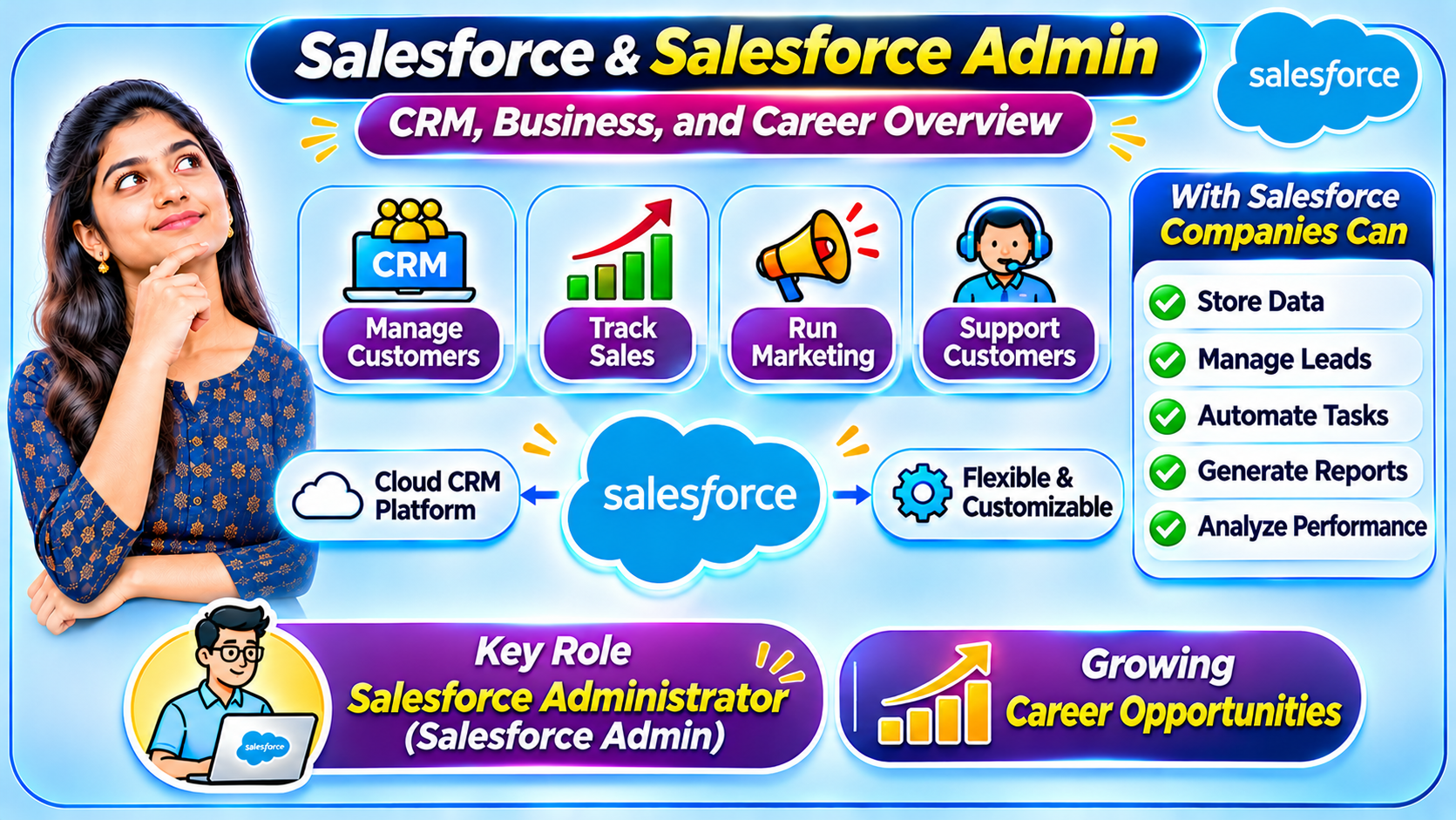
Today, organizations across the world use Customer Relationship Management (CRM) software to manage their customers, sales activities, marketing campaigns, and customer support operations. Every business needs an effective way to store customer information, track sales opportunities, manage customer interactions, and improve business processes. Managing all this information manually can be difficult, especially when an organization has hundreds or thousands of customers. This is where Salesforce becomes important.
Salesforce is one of the leading cloud-based CRM platforms that helps organizations manage customer relationships and business operations in a centralized environment. Companies can use Salesforce to store customer information, manage leads and opportunities, automate repetitive tasks, generate reports, and analyze business performance. One of the biggest advantages of Salesforce is its flexibility. Organizations can customize the platform according to their specific business requirements without building an entire CRM application from scratch.
As more organizations adopt Salesforce, the need for professionals who can configure, customize, and maintain the platform continues to grow. One of the most important roles in the Salesforce ecosystem is the Salesforce Administrator, commonly known as a Salesforce Admin.
Looking for the best Salesforce training in Hyderabad? Join our industry-oriented Salesforce training program to learn Salesforce Admin, Developer concepts, real-time projects, and practical skills. Get expert guidance, hands-on experience, and career support to prepare for Salesforce job opportunities.
What Is a Salesforce Admin?
A Salesforce Admin is a professional responsible for configuring, customizing, maintaining, and managing the Salesforce platform within an organization. The primary responsibility of a Salesforce Admin is to ensure that Salesforce works according to the organization’s business requirements. They manage users, create objects and fields, configure security settings, build reports and dashboards, and automate business processes.
A Salesforce Admin acts as a bridge between business users and the technical team. They understand the organization’s requirements and translate them into Salesforce configurations. For example, if a sales manager wants to track customer enquiries, the Salesforce Admin can configure Lead records, create relevant fields, define validation rules, and build reports to monitor lead performance.
Consider a school management system as a real-life example. A school maintains student information such as Student Name, Roll Number, Class, Attendance, and Marks. Teachers need access to update attendance, while the principal may need access to view the performance of all classes. Students should not be able to access other students’ personal information. Managing these requirements is similar to the work performed by a Salesforce Admin. They decide how information should be stored, who can access it, and how the system should function.
A Salesforce Admin is not simply a person who enters data into the system. They play an important role in improving business efficiency by designing solutions using Salesforce configuration and automation features.
Why Is Salesforce Admin Important for Organizations?
Every organization has different departments, such as Sales, Marketing, Customer Support, and Operations. Each department works with customer-related information, but their requirements may be different. The sales team manages potential customers and business opportunities, the marketing team manages campaigns, and the customer support team handles customer issues.
If each department maintains information in separate systems, organizations may experience data duplication, communication gaps, and reporting difficulties. Salesforce provides a centralized platform where different teams can access relevant customer information according to their responsibilities.
A Salesforce Admin configures the platform to support these business requirements. They create the required objects and fields, establish relationships between records, configure user permissions, and automate repetitive activities. They also create reports and dashboards that help managers understand business performance. Through these activities, Salesforce Admins help organizations improve productivity, maintain data quality, and manage customer relationships more effectively.
Searching for professional Salesforce training in India? Learn Salesforce from experienced trainers through practical sessions, real-time projects, and industry-focused curriculum. Build your Salesforce skills and take the next step toward a successful CRM career.
Understanding Salesforce Apps, Tabs, Objects, Fields, and Records
When learning Salesforce Administration, it is important to understand the fundamental concepts of Apps, Tabs, Objects, Fields, and Records. These concepts form the foundation of the Salesforce platform.
A Salesforce App is a collection of tabs and tools designed to support a particular business function. For example, a Sales App may contain Accounts, Contacts, Leads, and Opportunities tabs. A Service App may provide access to Cases and other customer support features. Similarly, a school management application could contain Student Details, Attendance, Marks, and Fee Management sections.
A Tab is a navigation option that allows users to access a particular object or feature in Salesforce. For example, users can click the Accounts tab to view account records or the Contacts tab to access contact information.
An Object is a structure used to store data in Salesforce. It can be compared to a table in a database. Salesforce provides Standard Objects such as Account, Contact, Lead, Opportunity, and Case. Organizations can also create Custom Objects when they need to store information specific to their business requirements.
A Field represents an individual piece of information stored inside an object. For example, a Student object may contain Student Name, Roll Number, Date of Birth, Phone Number, and Class fields. A Record represents the complete information of one particular student or customer. Therefore, an object contains multiple fields, and each record stores the values entered into those fields.
Understanding these concepts is essential because most Salesforce Admin activities involve creating, managing, and configuring objects, fields, and records.
Standard Objects and Custom Objects
Salesforce provides several Standard Objects that organizations can use to manage common business activities. These objects are available by default in the Salesforce platform. The Account object stores information about companies or business customers. The Contact object stores information about individual people associated with business accounts. The Lead object helps organizations manage potential customers, while the Opportunity object is used to track potential sales deals. The Case object helps customer support teams manage customer issues and service requests.
However, every organization has unique requirements. A school management organization, for example, may need to maintain student details, course information, fee details, and attendance records. These requirements may not be fully supported by the standard objects available in Salesforce.
In such situations, Salesforce Admins can create Custom Objects. A Custom Object allows an organization to define its own data structure, fields, relationships, and business rules. This flexibility makes Salesforce suitable for different industries and business processes.
Salesforce Data Types
When creating fields in Salesforce, administrators must select the appropriate Data Type. A Data Type determines what kind of information can be stored in a particular field. Choosing the correct data type helps maintain consistency and improves data quality.
For example, a Text field can store a student’s name, a Number field can store age, and a Date field can store the date of birth. A Currency field can store fee amounts, while a Percent field can represent percentage values. Phone and Email fields are useful for maintaining contact information.
Salesforce provides different field types, including Text, Number, Currency, Percent, Date, Date/Time, Email, Phone, Checkbox, Picklist, and URL. A Picklist field is especially useful when users must select a value from a predefined list. For example, a Gender field may contain predefined options such as Male, Female, and Other. This prevents users from entering inconsistent values and helps maintain standardized information.
Relationships in Salesforce
In real-world organizations, different types of information are connected to one another. For example, a customer may have multiple contacts, a school may have many students, and a sales opportunity may be associated with an account. Salesforce uses relationships to connect records stored in different objects.
Two important relationship types that every Salesforce Admin should understand are Lookup Relationship and Master-Detail Relationship.
A Lookup Relationship establishes a connection between two objects while maintaining a relatively independent relationship between their records. For example, a Student record can be associated with a Teacher record using a Lookup Relationship. Depending on the relationship configuration, the records can generally be managed independently.
A Master-Detail Relationship establishes a stronger dependency between two objects. The Detail record depends on the Master record. For example, a student-related record may depend on a particular school record. When a Master record is deleted, its associated Detail records are generally deleted as well.
Master-Detail Relationships also support Roll-Up Summary Fields. These fields can calculate values from related child records. For example, an organization can calculate the total number of students or the total fee amount associated with a particular school using suitable roll-up summary configurations.
Understanding relationships is important because Salesforce Admins frequently work with connected business information.
Salesforce Page Layouts and Record Types
Salesforce allows administrators to customize how information is displayed to users. Page Layouts control the arrangement of fields, buttons, sections, and related lists on a record page. They help administrators organize information according to the requirements of different users.
For example, a sales representative may need customer contact information and sales-related details, while a customer support representative may need service-related information. Page Layouts can be configured to provide users with an appropriate record interface.
Record Types allow organizations to support different business processes within the same object. For example, an organization may manage Business Customers and Individual Customers using the Account object. These customer types may require different picklist values, business processes, and page layouts. Record Types help administrators configure these differences.
Page Layouts and Record Types are important Salesforce Admin concepts because they allow organizations to create user experiences that match their business requirements.
Salesforce Security and Access Management
Data security is one of the most important responsibilities of a Salesforce Admin. In an organization, every employee should not automatically have access to all customer records and business information. Users should receive access based on their job responsibilities.
Salesforce provides several security features, including Profiles, Roles, Permission Sets, Organization-Wide Defaults, and Sharing Rules. These features help administrators control what users can access and what actions they can perform.
A Profile defines important user permissions, including object permissions, field permissions, and system permissions. Role Hierarchy helps control record visibility based on the organization’s reporting structure. Permission Sets provide additional permissions to users without requiring changes to their existing profiles.
Salesforce security can be understood through three important levels. Object-Level Security determines whether a user can access an object. Field-Level Security controls whether users can view or edit specific fields. Record-Level Security determines which individual records users can access.
Consider a school management system. A class teacher may need access only to students in their assigned class, while the principal may need access to student records across all classes. Salesforce security features help administrators configure access according to these responsibilities.
Salesforce Validation Rules
Maintaining accurate information is essential for every organization. If users enter incorrect or incomplete information, it can affect reports, business decisions, and automated processes. Salesforce provides Validation Rules to prevent records from being saved when they do not satisfy predefined conditions.
For example, consider a school where student age should never be a negative number and fee amount must be greater than zero. A Salesforce Admin can create Validation Rules using formulas to enforce these conditions. If a user enters an invalid value, Salesforce displays an error message and prevents the record from being saved.
Validation Rules help organizations maintain consistent and reliable data. They are particularly useful when business requirements demand specific conditions before a record can be created or updated.
Salesforce Automation Tools
Many organizations perform repetitive activities every day. For example, when a new customer record is created, the sales team may need to receive a notification. When an opportunity changes its stage, a manager may need an update. When a customer support case is created, it may need to be assigned to the appropriate team.
Performing these activities manually can consume time and increase the possibility of errors. Salesforce provides automation tools that help organizations automate repetitive business processes.
Salesforce Flow is one of the most important automation tools available to Salesforce Admins. Using Flow, administrators can build record-triggered automation, screen-based processes, and scheduled automation based on business requirements.
For example, a school can configure a Flow to notify a class teacher when a student’s attendance percentage falls below a predefined level. Similarly, when a new student record is created, a Flow can automatically create a related fee record if the business process requires it.
Salesforce previously offered Workflow Rules and Process Builder for automation. However, Salesforce Flow is the recommended focus for new automation development. Therefore, learning Flow and understanding its practical implementation are essential for modern Salesforce Admins.
Salesforce Reports and Dashboards
Storing information in Salesforce is only one part of managing business data. Organizations also need to analyze that information and make informed decisions. Salesforce Reports and Dashboards help users understand business performance through organized data and visual representations.
Reports allow users to filter, group, and summarize records based on specific requirements. For example, a sales manager may want to know how many leads were generated this month, how many opportunities were successfully closed, and which sales representative achieved the highest sales. Salesforce Reports can provide these insights.
Dashboards display information from reports using charts, graphs, tables, and other visual components. Managers can use dashboards to monitor important business metrics in one place. This makes it easier to identify trends, track performance, and make business decisions.
A Salesforce Admin should understand how to create different report formats, apply filters, group records, summarize information, and configure dashboards based on business requirements.
Salesforce Admin Responsibilities
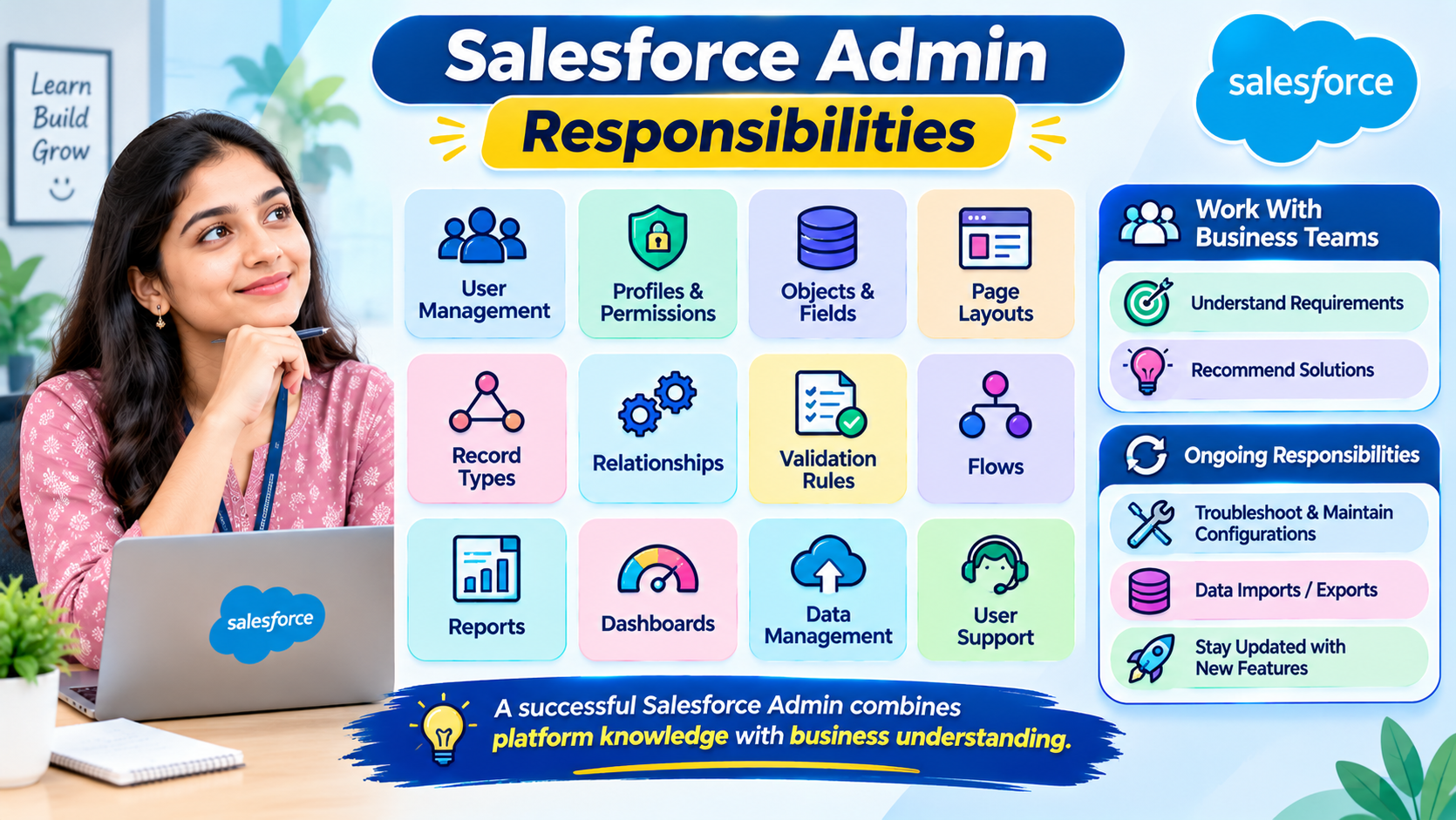
The daily responsibilities of a Salesforce Admin depend on the organization and its business requirements. However, some activities are common across many Salesforce environments.
Salesforce Admins create and manage users, configure profiles and permissions, create objects and fields, customize page layouts, configure record types, and maintain relationships between objects. They also implement validation rules, build Flows, create reports and dashboards, and support users when they experience problems with the platform.
In addition to technical configuration, Salesforce Admins communicate with business teams to understand their requirements. They identify existing process issues and recommend suitable Salesforce solutions. They may also manage data imports and exports, troubleshoot data quality problems, maintain existing configurations, and stay updated with new Salesforce features.
A successful Salesforce Admin needs both platform knowledge and the ability to understand business processes.
Want to start your Salesforce career with Salesforce training in Bangalore? Learn Salesforce Admin and Developer concepts with hands-on practice, real-time scenarios, and expert trainer support. Develop practical skills and prepare for exciting career opportunities.
How to Become a Salesforce Admin?
Anyone interested in building a career in Salesforce Administration can begin by learning CRM fundamentals. First, understand what CRM means, why organizations use CRM platforms, and how companies manage leads, customers, opportunities, and customer support activities.
After understanding CRM basics, start learning Salesforce navigation, Apps, Tabs, Objects, Fields, and Records. These concepts provide the foundation for understanding the platform. Next, learn Standard Objects, Custom Objects, Data Types, Relationships, Page Layouts, and Record Types.
Once you understand the fundamentals, move on to important administration topics such as Profiles, Roles, Permission Sets, Organization-Wide Defaults, Sharing Rules, and Field-Level Security. Then learn Validation Rules, Salesforce Flow, Reports, and Dashboards.
Practical experience is extremely important. Instead of only reading theoretical explanations, practice every concept in a Salesforce learning environment. For example, create a Student Management application. Build a Student object, add fields such as Student Name, Roll Number, Class, Phone Number, and Date of Birth, and create a Teacher object. Establish relationships between the objects, configure validation rules, and create reports to analyze student information.
By completing practical exercises and projects, beginners can develop a better understanding of how Salesforce works in real business scenarios.
Salesforce Admin Certification
Salesforce certifications help professionals demonstrate their knowledge of the Salesforce platform. One of the well-known certifications for administrators is the Salesforce Certified Administrator certification.
Preparing for this certification requires knowledge of Salesforce fundamentals, configuration, object management, security and access, automation, reports, and dashboards. Candidates should understand how different Salesforce features work and how to select appropriate solutions for business requirements.
Certification preparation should include both theoretical learning and practical exercises. Understanding concepts alone may not be sufficient. Candidates should practice configuration activities, solve scenario-based questions, and become familiar with the current certification exam objectives.
Salesforce Trailhead is an official learning platform that provides guided modules, learning paths, and hands-on challenges. Beginners can use Trailhead to develop their knowledge and prepare for Salesforce certifications. Always refer to the current official exam guide before scheduling an examination.
Career Opportunities for Salesforce Admins
Salesforce offers different career opportunities for professionals interested in CRM administration and business technology. Beginners may explore roles such as Junior Salesforce Administrator, Salesforce Administrator, CRM Administrator, Salesforce Support Specialist, and Salesforce Business Analyst.
With practical experience and deeper platform knowledge, professionals may progress toward roles such as Senior Salesforce Administrator, Salesforce Consultant, or other specialized Salesforce positions.
To succeed in these roles, professionals need more than technical configuration skills. Communication, analytical thinking, problem-solving, and business process understanding are also important. A Salesforce Admin must be able to communicate with business users, understand their challenges, and convert their requirements into effective Salesforce solutions.
Conclusion
Salesforce Admin is an important role in the Salesforce ecosystem. Administrators help organizations manage customer information, customize the CRM platform, control user access, automate business processes, and generate meaningful reports and dashboards. Their work helps businesses improve operational efficiency and manage customer relationships effectively.
You do not need to begin your Salesforce learning journey with advanced programming knowledge. Beginners can start with Salesforce fundamentals and gradually develop practical skills in configuration, security, automation, and reporting. However, hands-on practice and real-world project experience are essential for building confidence and understanding business requirements.
Whether you come from an IT or non-IT background, you can begin learning Salesforce Administration step by step. With consistent practice, practical projects, and continuous learning, you can develop the skills required to explore opportunities in the Salesforce ecosystem.
Start Learning Salesforce Admin Today – Understand CRM, Build Practical Skills, and Explore Salesforce Career Opportunities!
Looking for flexible Salesforce online training? Learn Salesforce Admin and Developer concepts from anywhere through live interactive classes, practical exercises, and real-time projects. Get expert guidance and build the skills needed to pursue Salesforce career opportunities.

